How to Install Theme
Adding New Theme using the Administration Screens:
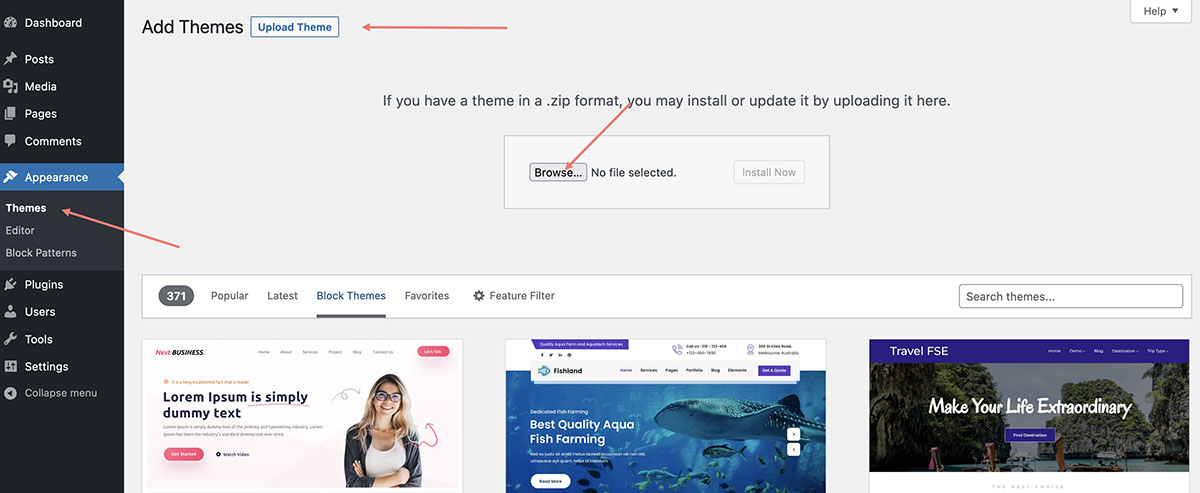
Step 1 – Please download installable zip file shrift.zip. In case, if you’ve downloaded the main zip file “Shrift-WP.zip”, please unzip it and use the installable one located in the following folder “Theme v…” ;
Step 2 – Select the Appearance screen, then Themes;
Step 3 – Select Add New;
Step 4 – Use the Upload Theme button at the top of page to upload a ontario.zip file;
Step 5 – Install all required plugins.