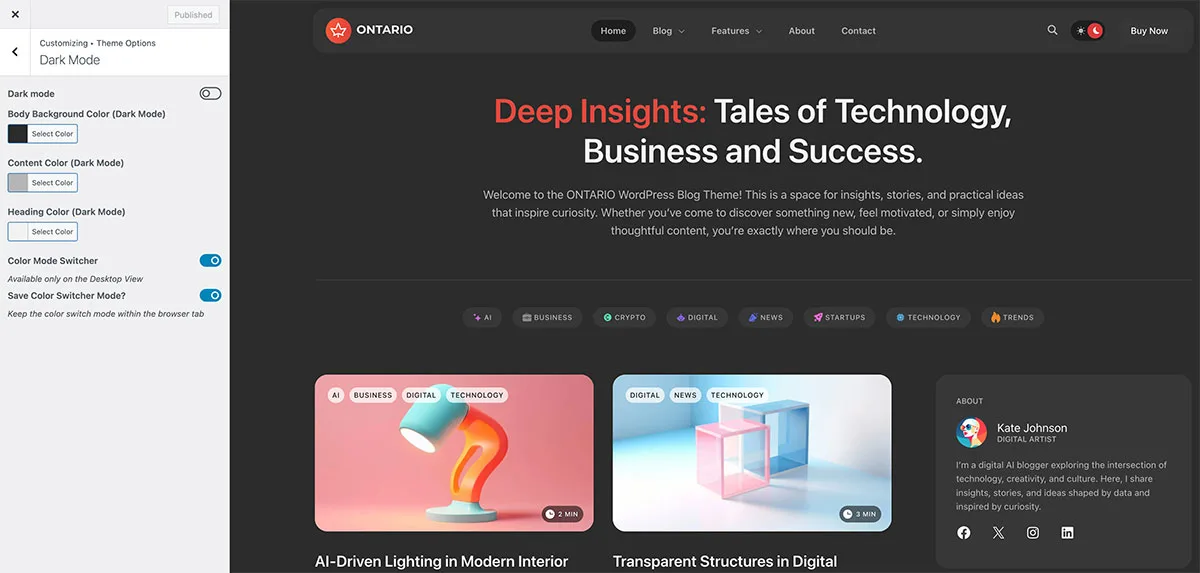
General InformationHow to Install ThemeTheme ActivationHow to Update ThemeImport Demo ContentFront Page SetupWPDaddy Header & Footer BuilderValidate Header & FooterHow to Edit HeaderHow to Edit FooterSelect Area for Header & FooterHow to Assign Header & FooterHow to Enable Sticky MenuMega Menu Color Mode SwitcherPage OptionsCustom SidebarsPage PreloaderNavigator in ElementorCustom Post TypesCustom PermalinksTranslation SupportMobile IssuesSupport DeskLicense TermsChangelog 15.Color Mode Switcher You can activate the skin mode option in Customizer -> Theme Options -> Dark mode section. You want to keep the selected color during the entire session while browsing the website, please activate “Save Color Switcher Mode” « Mega Menu Page Options » Suggest Edit Captcha : Submit